
With hybrid work environments and bring-your-own-device (BYOD) policies the norm, ensuring that endpoints (desktops, laptops, tablets, phones)—whether company-owned or an employee’s own device, and across platforms like Windows, macOS, iOS and Android—remain secure and compliant is a significant challenge.
Microsoft Intune provides a comprehensive solution for managing and securing these endpoints, but managing Intune effectively isn’t easy, even for accomplished IT administrators. It requires ongoing management, continuous configuration and expert oversight to truly unlock its potential and keep your organization’s devices secure and compliant.
In this article, we’ll explore the basics of endpoint management, how Microsoft Intune functions, and why partnering with Threadfin’s Intune Managed Service ensures your Intune environment remains effective, secure and up-to-date.
If you don’t have time to read this entire article now, download it here:
The Basics of Endpoint Management
First, let’s take a look at the very basics of endpoint management and how the Microsoft Intune suite works.
Click here to skip ahead to the section on Threadfin’s Intune Managed Services.
What is endpoint management?
Endpoint management is the process of overseeing and securing devices that connect to an organization’s network. These endpoints can include laptops, smartphones, tablets, desktops and other devices that employees use for work. Effective endpoint management ensures that these devices are secure, compliant with company policies and functioning optimally.
It involves tasks such as managing software updates, applying security patches and controlling which applications are permitted on devices. Additionally, it can prevent devices that don’t adhere to compliance standards from accessing data. This approach helps organizations maintain control over all connected devices, preventing unauthorized access to both the device and company data. Furthermore, devices that aren’t compliant can be blocked from accessing company resources, reducing security risks, ensuring regulatory compliance and optimizing device performance for smooth, uninterrupted operations.
Why do organizations need endpoint management?
Endpoint management is more complicated than ever. First, there’s the mix of personal devices (BYOD devices) and company-owned devices. Then, there’s the fact that it’s not just desktop computers in an office—you’re also securing and managing mobile devices, tablets and laptops. Finally, these devices are scattered across the globe accessing sensitive company data across various networks and locations. This combination of mobile environment and personal devices makes a prime target for security threats.
Without a unified endpoint management solution like Microsoft Intune, managing a diverse mix of devices, mobile apps and operating systems can quickly become overwhelming. App management is essential to ensure that mobile applications remain secure, up-to-date and compliant with company security policies. Without a unified endpoint management platform, organizations struggle to maintain control over these devices. Relying on a cloud-based endpoint management solution helps mitigate these challenges, reducing the risk of security breaches and non-compliance.
- Security breaches: Unsecured devices can easily become entry points for cyberattacks. Devices that aren’t regularly updated with security patches, or which allow unauthorized apps, are vulnerable to attacks such as malware, ransomware and phishing. A single compromised device can open the door to a full-scale data breach, affecting your entire organization.
- Data leakage: Without adequate controls, sensitive data can be easily shared or accessed through personal apps or non-compliant devices. Mobile Application Management (MAM) policies (see the section on MAM below) within Intune restrict data sharing between personal and work apps, ensuring that company data remains secure.
- Compliance failures: For industries that handle sensitive data, such as healthcare, finance, legal services or law enforcement, compliance is non-negotiable. Most industries have strict regulations governing data security and privacy. This includes standards such as HIPAA for healthcare, SOX for finance, CJIS (Criminal Justice Information Services) for law enforcement, and others. Failing to manage endpoints properly can lead to non-compliance, which could result in costly fines and significant damage to your organization’s reputation.
- Operational inefficiency: Without effective endpoint management, IT departments can spend excessive time troubleshooting devices, updating software and fixing security issues—time that could be better spent on more strategic work.
- Costly downtime and productivity loss: Without effective mobile device management (MDM), deploying new devices or resolving issues can become time-consuming and inefficient. Delays in provisioning or replacing devices lead to unnecessary downtime, disrupting workflows and reducing productivity. Proper endpoint management ensures quick, seamless device delivery.
How does Microsoft Intune work?
At its core, Microsoft Intune is a cloud-based solution designed to help organizations manage devices and applications. It provides a centralized platform for overseeing both Mobile Device Management (MDM) and Mobile Application Management (MAM), enabling organizations to manage their endpoints from a single interface.
Mobile Device Management (MDM)
MDM solutions allow for remote management and control of devices. With MDM, organizations can:
- Provision and configure devices remotely, ensuring they meet security standards.
- Push security updates and patches to devices (desktops, laptops, tablets, phones) automatically.
- Monitor device compliance, ensuring unauthorized devices don’t gain access to corporate data.
- Enforce encryption and security policies such as multi-factor authentication and VPN configuration.
Mobile Application Management (MAM)
MAM ensures that only authorized applications are allowed on company devices and that sensitive data is protected within these applications. It helps organizations:
- Control app distribution and updates, ensuring that only approved apps are used across all devices.
- Set app-level security policies to prevent data leaks (e.g., preventing copy/pasting between work and personal apps).
- Monitor app usage and performance, identifying potential risks or inefficiencies.
Why Intune Alone Isn’t Enough: The Need for Ongoing Management
While Microsoft Intune offers robust capabilities for managing devices and applications, it’s not a “set-it-and-forget-it” solution. Intune requires focused, intentional and ongoing attention to stay effective. This is where Threadfin’s Intune Managed Services come into play.
Threadfin’s Intune Managed Services: Ensuring continuous configuration & optimization
Threadfin’s Intune Managed Services are designed to ensure that your Intune environment is continuously monitored, maintained and optimized. While Intune provides the toolset, our managed services make sure that toolset is configured correctly and remains aligned with your organization’s evolving needs. Here’s a high-level look at how we do it:
Monthly configuration updates
Our team performs monthly updates to your Intune configuration, ensuring all policies, security measures and compliance settings are up-to-date. This proactive management allows Intune to execute its functions accurately, securing your devices and applications as intended.
Desired State Configuration (DSC)
We leverage Microsoft’s Desired State Configuration (DSC) to capture the current state of your environment and compare it to your desired configuration standards. This process helps us identify any deviations or changes that need to be made. Based on these insights, we take targeted actions to ensure that all devices and applications meet your security and compliance requirements.
No matter where your connected mobile devices are located globally, we ensure they’re optimized and secure for peak performance.
Continuous monitoring & reporting
We provide ongoing insights and reports on your Intune environment. From monthly snapshots to detailed reports on compliance, security posture, and configuration drift, our services ensure you always have a clear picture of your endpoint environment’s health.
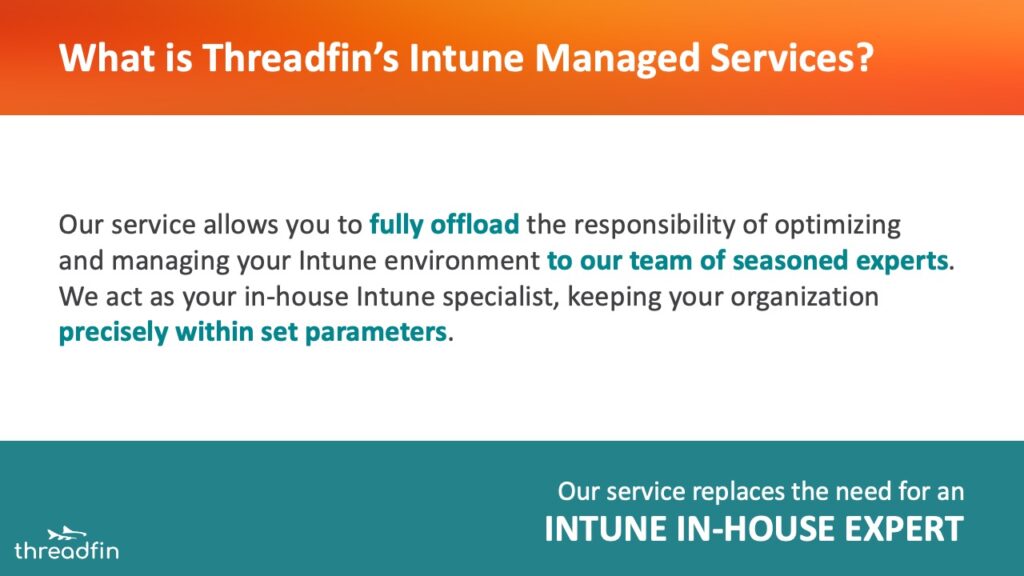
Our service allows you to fully offload the responsibility of optimizing and managing your Intune environment to our team of seasoned experts. We act as your in-house Intune specialist, keeping your organization precisely within set parameters.
Some of the practical insights we offer include:
- Identifying devices that aren’t in use or haven’t checked in within a specified period
- Highlighting devices that are out of compliance with security policies
- Reporting on security vulnerabilities or outdated software that requires attention
- Tracking configuration drift to ensure your environment stays aligned with your organization’s requirements
Who is Threadfin’s Intune Managed Services for?
Because Threadfin’s Intune Managed Services replaces the need for an in-house Intune expert, it’s a good choice in these circumstances:
- You need tailored guidance on Intune MDM and Intune MAM compliance standards, BYOD policies, industry standards, relevant regulations and best practices.
- You’re managing a mix of devices and operating systems and you need a comprehensive solution that ensures your endpoints are kept secure, up-to-date and ready to use.
- Your IT department is looking to reduce management costs while maintaining the highest standards of security and compliance.
If you’re not sure if Threadfin’s Intune Managed Services is the right fit for your organization—or if you haven’t yet set up your Intune tenant but know it’s the right next step—contact us. We’ll talk through how we can guide you to where you need to be.
Why is Threadfin’s Intune Managed Services the best solution?
When it comes to endpoint management, our Intune Managed Services are designed to make life easier for IT departments. Here’s why partnering with us is the smartest decision your organization can make:
- Expertise: You don’t need an in-house Intune expert when you partner with us. Managing Microsoft Intune can be complex and time-consuming. Our team has years of experience managing Microsoft’s Intune environment and handles all the complex details for you.
- Tailored guidance: We provide tailored guidance on everything from BYOD policies to compliance standards and best practices, helping you craft the right Intune policies for your organization.
- Continuous optimization: We provide ongoing insights into your environment, ensuring endpoints (desktops, laptops, tablets, phones) are secure, up-to-date and compliant with the latest OS patches and security standards.
- Security & compliance: We take endpoint security seriously. From multi-factor authentication setups to continuous monitoring of security policies, we ensure that your devices remain secure.
- Cost efficiency: By offloading enterprise mobility management to us, you’ll save on operational costs, allowing your IT department to focus on more strategic initiatives while we handle the day-to-day device management tasks.
- Global reach: Whether your devices are spread across one region or the entire world, our global capabilities ensure that every endpoint is optimized for peak performance, no matter where it’s located.
What’s included in Threadfin’s Intune Managed Services?
Intune isn’t a set-it-and-forget-it solution. A carefully managed Intune environment is crucial to ensure your Intune MDM and Intune MAM remain aligned with your set parameters.
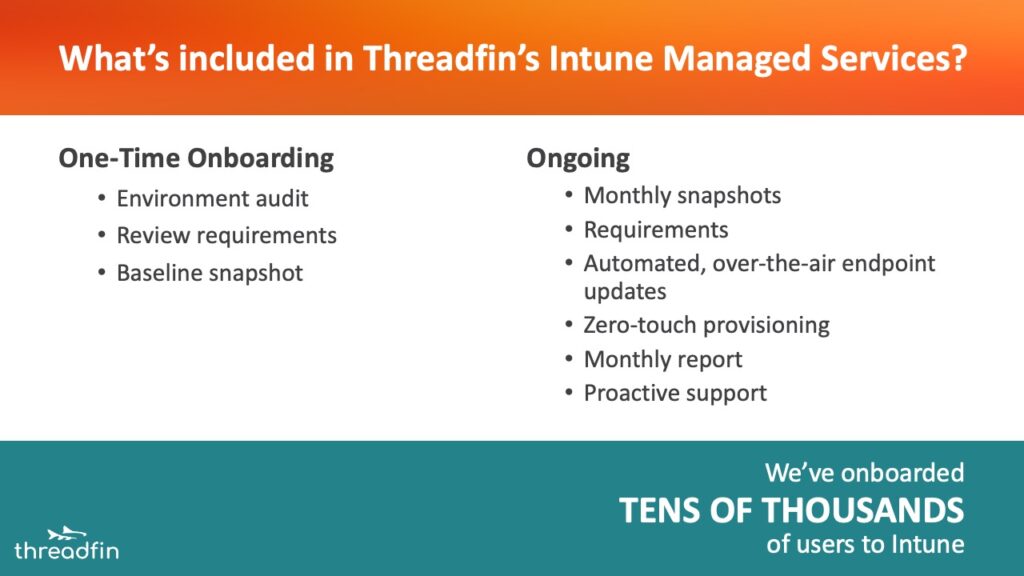
Our Intune Managed Services includes:
One-time onboarding
Our onboarding process sets you up for success with a focused engagement. During onboarding, we perform the following activities:
- Comprehensive audit: We conduct a thorough analysis of your existing Intune configuration to identify and capture current state.
- Review requirements: We ensure your environment aligns with best practices, relevant industry standards, regulations and compliance requirements. We also consider your organization’s goals, policies and preferences.
- Baseline snapshot: We capture a comprehensive snapshot of your environment once we’ve established this solid foundation.
Ongoing Intune Managed Services
After onboarding is complete, our experts maintain your environment through the following activities:
- Monthly snapshots: We capture a detailed snapshot of your Intune environment, including device compliance, policy configurations and application deployments.
- Requirements: We maintain your configuration for best practices, industry standards, regulations, compliance, goals, policies and preferences.
- Automated, over-the-air updates: We monitor, validate and report on the automated deployments that go directly to your devices (Windows, macOS, iOS, Android). This includes: OS patches, security updates, annual OS updates, standard and nonstandard third-party application updates
- Zero-touch provisioning: We automatically configure covered new devices so they’re ready for use right out of the box, with specified apps and settings pre-installed—no manual setup required.
- Monthly report: We provide you with a monthly report that includes compliance, security posture and any configuration drift, as well as actions performed.
- Proactive support: If selected, our experts are on hand to provide technical support and address issues that arise.
Read our Intune Managed Services Solution Snapshot for more details.
Even with the Power of Microsoft Intune, Proactive Endpoint Management is Essential.
Intune provides the capabilities, but Threadfin ensures they’re put to work effectively. If you’re not sure if Threadfin’s Intune Managed Services is the right fit for your organization—or maybe you don’t have a Microsoft Intune plan but know you need one—contact us.
We’ll guide you to where you need to be, taking the stress out of endpoint management so you can focus on what really matters: growing your business.
